 Call us:


Height Adjustable Sit Stand Desks: Buying & User Guide
A height adjustable sit stand desk raises and lowers your work surface so you can work comfortably sitting or standing. Often called an electric standing desk, it gives you more control over your working position throughout the day.
Compare desk types, sizes, motors and useful features, then learn how to set up and use your desk. Shop across our ranges for home offices, individual workstations and teams.
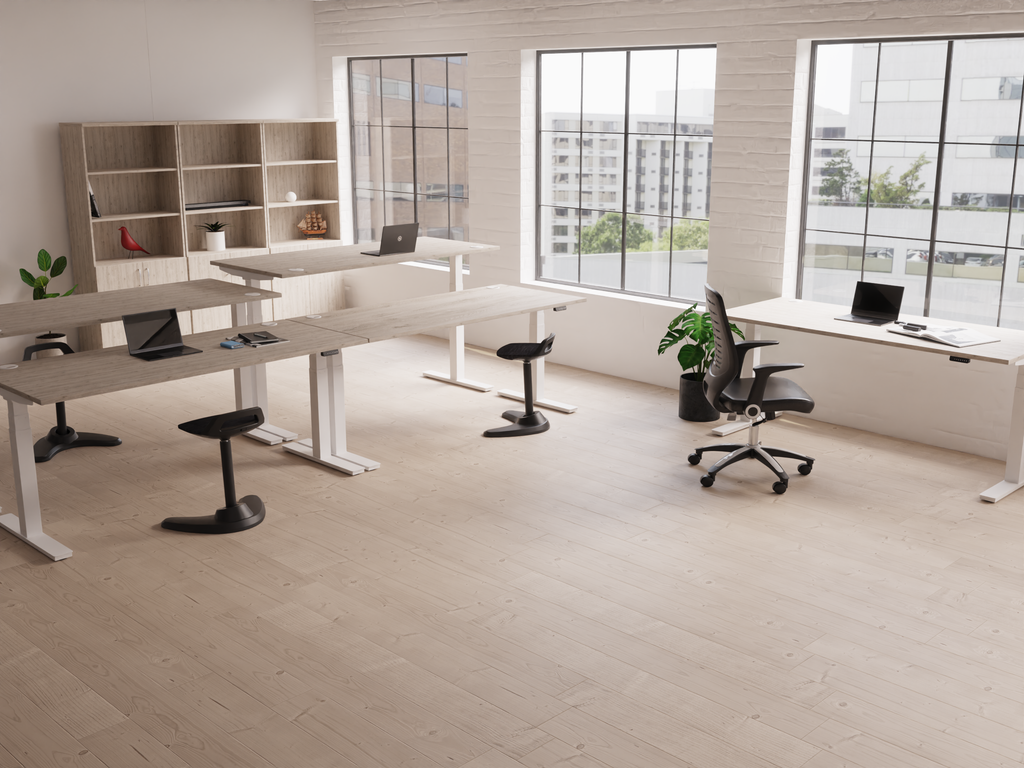 Explore height adjustable sit stand desks →
Shop height adjustable sit stand desks
Choose an individual workstation or a coordinated bench layout. Each link opens the full category so you can compare sizes, finishes, features and current prices.
 Individual height adjustable desksFor home offices, private offices and separate workstations. Compare the available ranges and choose the dimensions and specification that suit you.Shop all individual desk options →
 Height adjustable bench deskingFor shared offices and teams. Browse 2, 4 and 6-person arrangements, with independently adjustable work surfaces on suitable models.Shop all bench desk options →
Images illustrate desk formats; the linked categories contain all available choices. Need help comparing a specification? Ask AOS about your desk requirements.
What are the benefits of height adjustable sit stand desks?
The main advantage is choice: fit the work surface to the user and make it easier to change position during desk work.
Break up long periods of sitting
Raise the desk for part of a task, then return to sitting when it suits you. Keeping your equipment on one moving surface makes the change straightforward.
Find a better working height
A fixed desk can be too high or too low. Height adjustment lets you position your keyboard and mouse more comfortably, provided the desk’s minimum and maximum heights suit you.
Make shared workstations more flexible
Different people need different working heights. Adjustable desks can make hot-desking easier; memory controls can help users return to their preferred settings.
Adapt to the way you work
You might sit for detailed work and stand for a short call or review. The desk supports a choice of positions without moving to another workstation.
What does the research say? In the SMART Work & Life trial, a programme to encourage sitting less, combined with a height adjustable desk, reduced daily sitting by about 64 minutes at 12 months compared with usual practice. This was a supported workplace programme, not a result guaranteed by buying a desk. Read the NIHR research summary.
A desk works best alongside suitable seating, a well-arranged screen and regular movement. It is not a treatment for back pain, a weight-loss device or a reason to stand still all day.
See height adjustable sit stand desks in action
Watch individual and back-to-back desks in use. These manufacturer videos show the Air range as examples; our shopping links let you compare all available options.
An individual height adjustable desk
See the desk design, electric height adjustment and handset in this manufacturer demonstration.
Shop individual height adjustable desks48 seconds · Open the video in a separate player
Back-to-back height adjustable desks
Explore a shared desk layout and the features of a height adjustable bench system.
Shop height adjustable bench desks50 seconds · Open the video in a separate player
Videos supplied by Dynamic Office Solutions. Features shown relate to the models filmed; check the current product specification when ordering. Compare the Air height adjustable sit stand desk range.
Which type of height adjustable sit stand desk should you choose?
The adjustment method and the furniture layout are separate choices. An electric desk can be a single workstation or part of a back-to-back bench.
| Type | Why consider it? | What to check |
|---|---|---|
| Electric height adjustable desk | Push-button adjustment makes frequent changes convenient. Memory presets are available on some models. | Height range, lifting capacity, controls, power access and warranty. |
| Manual crank desk | Hand-operated adjustment without a motor or a mains power supply for lifting. | Turning effort, adjustment speed, handle clearance and whether users will find regular changes practical. |
| Pneumatic / gas-assisted desk | Assisted manual lifting, usually controlled by a lever. | The supported load range and the effort needed with your equipment in place. |
| Back-to-back bench desks | A coordinated arrangement for people working opposite each other. | Independent adjustment, total footprint, shared cable routes and screen compatibility. |
| Desktop converter / riser | A platform raises the keyboard and screen on an existing desk. | Platform space, stability, lifting capacity and keyboard height when fully lowered. |
| Frame-only option | May let you reuse a suitable desktop. | Approved top dimensions, thickness, weight, fixings and any warranty conditions. |
These are the main formats you may encounter when comparing desks; availability varies. Browse our current height adjustable desk range or ask us to help with a particular format.
Is a standing desk the same as a sit stand desk? The names are often used interchangeably, but a fixed standing-height desk does not lower for seated work. Also check that a desk described as “height adjustable” has enough travel for both sitting and standing, rather than a small adjustment for seated use.
Single motor vs dual motor height adjustable sit stand desks
Motor count describes the lifting system. Choose on the complete specification: two motors alone do not guarantee a better desk.
| Consideration | Single motor | Dual motor |
|---|---|---|
| How it lifts | One motor drives both legs, commonly through a connecting shaft. | Usually one motor in each leg, controlled together. |
| Why buyers choose it | Often an economical route to electric adjustment. | Often paired with higher lifting capacities or faster adjustment. |
| Equipment load | Can suit a laptop or monitor setup within its stated capacity. | Worth comparing for larger setups, while still checking the exact load limit. |
| Height range & stability | Depend on the frame design and construction. | Also depend on the frame design and construction. |
| Best comparison | Actual height range, rated lifting load, speed, noise and warranty. | The same measures, rather than motor count in isolation. |
What about two-stage and three-stage legs? This describes the number of telescoping sections, not the number of motors. Three-stage columns often offer a broader adjustment range, but the stated finished desk heights are what matter for your fit.
For a worked comparison of one range we sell, see our Air height adjustable sit stand desk guide. To compare across ranges, browse all individual height adjustable desks.
Height adjustable sit stand desk sizes: width, depth and height
Measure both your equipment and the space around it. Desktop size, working height and overall floor footprint are different measurements.
Compare desktop widths at a glance
See the difference between compact and wider work surfaces before checking the size table below.
Widths shown to the same scale. Desktop depth, frame footprint and height adjustment vary by model.
| Desktop width | A useful starting point for | Check before choosing |
|---|---|---|
| 1000mm / 100cm | A compact home workstation. | Available only on selected models; measure the laptop, monitor and mouse space. |
| 1200mm / 120cm | An everyday workstation in a smaller room. | Allow room for the actual monitor stand, keyboard and any paperwork. |
| 1400mm / 140cm | Extra working space without a very wide desktop. | Check the full footprint and chair access. |
| 1600mm / 160cm | Multiple screens or equipment plus paperwork. | Measure screen widths and arm positions; monitor count alone does not determine fit. |
| 1800mm / 180cm | A larger workstation with more equipment. | Check room access, load capacity and space to move around the desk. |
600mm depth
Useful where space is limited. Check screen distance, monitor stand depth and room for your keyboard and wrists.
700mm depth
An intermediate option on selected ranges. Compare the usable surface with your screen and accessory layout.
800mm depth
More room front to back for monitors, documents and accessories. Allow for the larger footprint in your room.
These widths and depths appear across our range, but every size combination is not available on every model. Compare current desk sizes and finishes.
How to find the right sitting and standing desk height
Use your working elbow height as a starting point, rather than relying only on your overall height or a generic calculator.
Measure seated
Set your chair comfortably with feet supported. With shoulders relaxed, note the keyboard height that lets your forearms stay roughly horizontal.
Measure standing
Repeat while standing in your usual work shoes. Allow for keyboard thickness when translating this into the required desktop height.
Check both limits
Compare both measurements with the finished desktop’s minimum and maximum height. Ask whether the specification includes the desktop thickness.
Shorter users: the minimum height is often the deciding factor. Taller users: check the maximum height and your monitor’s adjustment. A desk that reaches a standing height can still be too high for comfortable seated work.
Measure beyond the desktop. Feet can extend beyond the top. Leave space for your chair, walking routes, opening doors and the full upward travel. Check clearance beneath shelving, windowsills and sloping ceilings.
What to look for before buying a height adjustable sit stand desk
Compare the features you will use every day and the complete cost of getting the workstation ready.
Lifting capacity
Add the weight of screens, arms, computer equipment and mounted accessories. Check whether the rating includes the desktop and applies while lifting. Leave capacity for planned additions; never use the desk to lift a person.
Stability at your working height
Ask about the desk’s construction, recommended top size and performance when raised. Floor levelling, assembly, monitor arms and load distribution all affect movement; “dual motor” is not a no-wobble guarantee.
Controls, memory & speed
Presets make repeat adjustments easier. Compare the number of stored heights, hold-to-run or one-touch operation, adjustment speed, and whether a control lock is included.
Anti-collision features
Some desks stop or reverse when resistance is detected. Sensitivity and behaviour vary. Keep the travel path clear of furniture, cables and people even when the desk has a sensor.
Desktop finish & frame colour
Choose a surface and frame that coordinate with your room. Wood effects, white, black and coloured tops are available across selected ranges; finish names and shades vary by manufacturer.
Warranty & ongoing support
Compare cover for the frame, motor and electronics separately. Check assembly instructions, replacement parts, service arrangements and the terms for your intended use.
How much should you spend? Prioritise a desk that reaches your working heights, fits your equipment and meets the lifting load. Then compare convenience features and warranty. Include VAT, delivery, assembly, cable management and any monitor arms in your total; a lower desk-only price may not mean a lower installed cost.
See current individual desk prices or compare height adjustable bench desk prices. For several workstations, request a project quotation.
Choosing height adjustable sit stand desks for your workplace
Plan the workstation around the person using it and the room it will sit in.
Home offices & individual desks
Start with the available width, depth and power supply. Check that a compact top still gives you comfortable screen distance, and that the desk can travel without hitting shelves or storage.
Teams & back-to-back benches
For an independently adjustable bench, one person can sit while the person opposite stands. Check the complete 2, 4 or 6-person footprint: the size in a product name may describe each work surface, not the whole arrangement.
Hot-desking & individual requirements
Choose a range of adjustment that suits the intended users. For wheelchair access, check knee space, clear width, crossbars and control reach as well as desktop height. Confirm the fit through an individual workstation assessment.
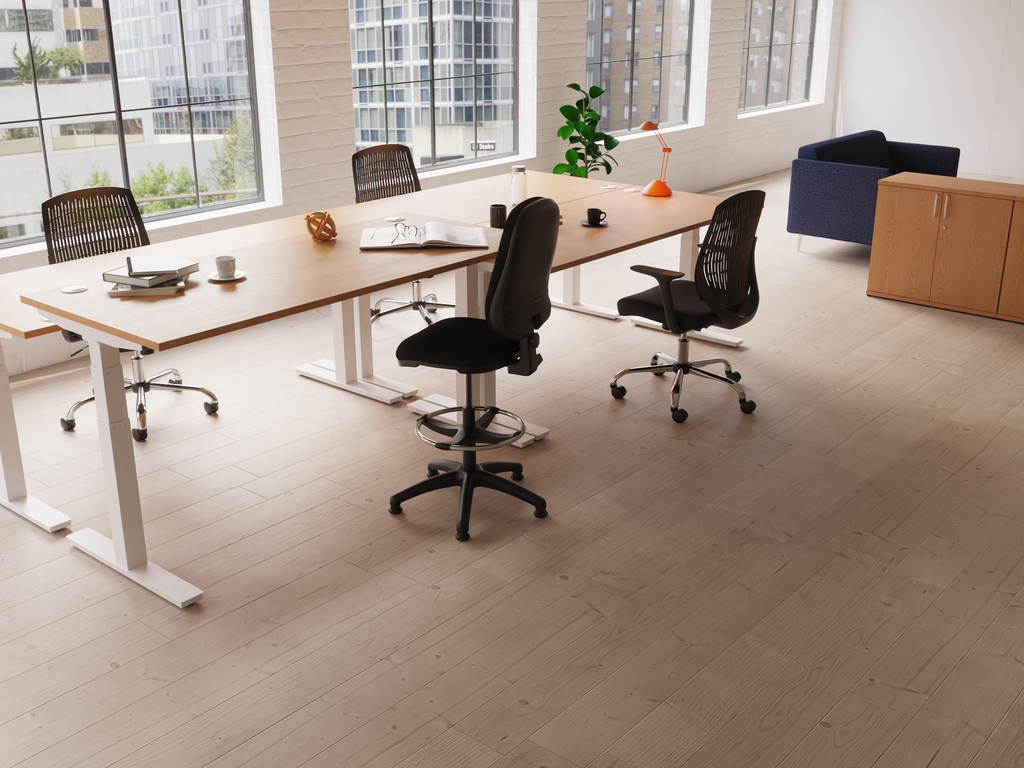 Compare layouts for your team →
AOS can help with workplace consultation, space planning and furniture installation. For employees who use display screen equipment, consider the whole setup and the user’s needs; a new desk alone does not complete a DSE workstation assessment.
How to set up and use a height adjustable sit stand desk
Start with a comfortable seated setup, then set the standing position. Recheck your screen and cables at both heights.
Set your chair and keyboard
Support your feet and lower back. Adjust the desktop so your keyboard sits just below elbow height, with relaxed shoulders and your mouse close by.
Position the screen
Place the screen ahead of you, with its top around eye level and a comfortable viewing distance, commonly about an arm’s length. Adjust for your vision and task.
Set the standing position
Raise the desk so you can type without lifting your shoulders or bending over. Keep your weight balanced and knees relaxed. Save the height if memory controls are fitted.
Check the full movement
Route cables with enough slack for the highest position, without loops snagging when lowered. Move drawers, chair arms and other obstructions out of the travel path.
Working on a laptop? For prolonged work, use a separate keyboard and mouse so the screen can be raised independently. HSE’s workstation posture guidance explains suitable screen, keyboard and seating arrangements.
How long should you stand at a height adjustable desk?
Alternate between positions before discomfort develops, and keep moving away from the desk during the day. Build up gradually if standing work is new to you.
Sit
Keep a suitable adjustable chair and return to sitting when you need to.
Stand
Use comfortable standing periods for tasks that suit you; do not aim to stand all day.
Move
Take brief walks or change tasks. Raising the desk is not the same as taking a movement break.
For people without underlying health issues, the Chartered Institute of Ergonomics & Human Factors guide suggests starting with about 40 minutes sitting to 20 minutes standing, plus time moving away from the desk. Treat this as a starting example, not a target for everyone. HSE recommends short, frequent breaks or changes of activity. If symptoms or a health condition affect your comfort, get individual advice.
Useful accessories for height adjustable sit stand desks
Choose compatible accessories that move safely with the desk and support the way you work.
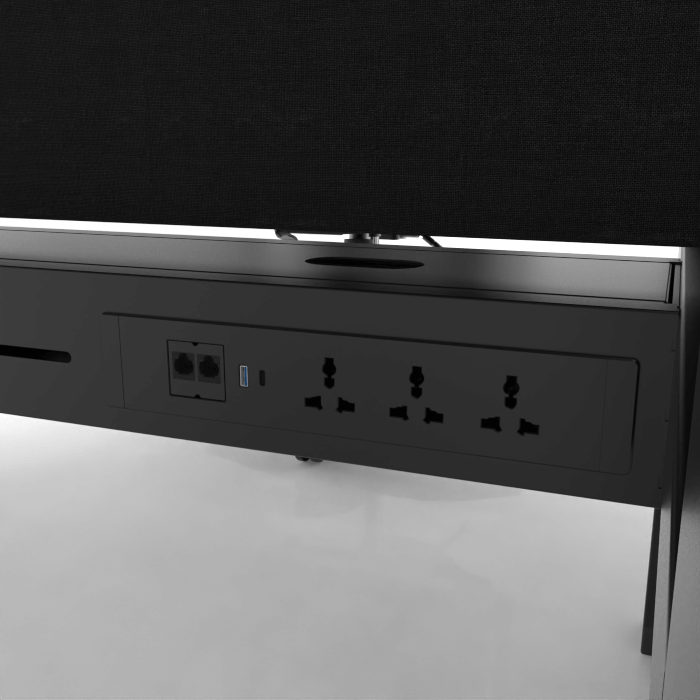 Power where you need itDesk power modules can bring connections within reach. Confirm the socket layout, mounting and compatibility with your chosen desk.Ask about compatible accessories →
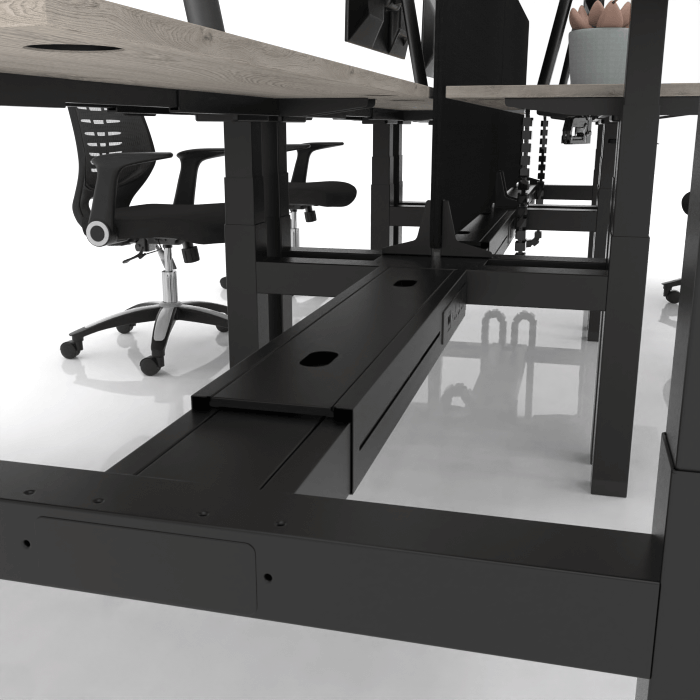 Keep cable routes organisedPlan space for power and data leads, with enough movement for the desk’s full travel. Choose cable management designed for the frame.Ask about compatible accessories →
| Accessory | What it helps with | Compatibility check |
|---|---|---|
| Cable tray or cable spine | Keeps power and data cables organised as the desk moves. | Mounting method, fixing locations and sufficient travel without tension. |
| Monitor arm | Allows separate adjustment of screen height and frees desktop space. | Screen weight, VESA fit, clamp thickness, rear clearance and added load. |
| Laptop riser & separate input devices | Lets the screen and keyboard be positioned independently. | Stable support and enough work surface for keyboard and mouse. |
| Desk screen | Adds a visual divider between workstations. | Correct brackets; whether it is fixed or moves with the top; no collision with adjacent desks. |
| Under-desk computer holder | Can keep the computer and its cables moving with the desk. | Case size, weight, knee clearance and manufacturer-approved mounting. |
| Standing mat & suitable chair | Offers options for comfort while alternating positions. | Keep the mat clear of chair wheels and walking routes; it does not replace movement. |
Do not assume an accessory for a fixed desk will fit a moving frame. Ask AOS to quote compatible accessories with your chosen desk.
Delivery, installation and office planning
AOS offers delivery only and delivery with professional installation. Confirm the service, cost and lead time for your chosen products before ordering.
Delivery only
Choose this if you have suitable people and space to assemble the desk. Check what arrives flat packed, the delivery access arrangements, required tools and the manufacturer’s assembly instructions.
Delivery & professional installation
Ask AOS to arrange delivery, assembly and placement. For a project, agree room access, floor level, lift availability, power locations and the installation schedule in advance.
Planning several desks or an office move?
AOS can support workplace consultation, 2D layouts, 3D visuals, product selection and installation. Send your room dimensions or plan, workstation quantity, equipment details, preferred finishes and postcode so we can help put together a suitable proposal.
Height adjustable sit stand desks: frequently asked questions
Practical answers to questions that often come up when choosing and using an adjustable desk.
Are height adjustable sit stand desks worth it?
They can be a worthwhile purchase if you want a desk that fits your working height and makes position changes easier. The value depends on getting the right size and specification and actually using the adjustment. For an office, consider a trial workstation and user feedback before a wider rollout.
Can a sit stand desk help with back pain?
It may make it easier to vary a position that feels uncomfortable, but it is not a guaranteed remedy. Chair support, screen position, the work task and individual needs also matter. Persistent or worsening pain needs advice from an appropriate health professional.
Will standing at a desk help me lose weight?
Do not buy one on a promise of weight loss. Its practical purpose is to let you vary working position and reduce uninterrupted sitting. Standing at a desk does not replace exercise or regular movement.
What is the best desk for two monitors?
Choose using the monitors’ actual widths, weights, stands or arms and viewing distance. A 1400–1800mm desktop may be a useful starting point, but larger screens can need more room. Check lifting capacity and arm compatibility as well as surface dimensions.
What if I am particularly short or tall?
Measure your required seated and standing keyboard positions, then compare the desk’s finished height limits. Shorter users should pay close attention to the minimum height; taller users also need enough screen-height adjustment. Ask for help checking the fit before buying.
Do electric desks use a lot of electricity?
Power use varies by model and is different while moving and on standby. Look for both figures in the technical specification. Motor count alone does not tell you running cost. To estimate cost, multiply total energy use in kWh by your electricity price per kWh.
Will a height adjustable desk wobble?
Some movement can become more noticeable as a desk rises, particularly with tall monitor arms. Frame construction, top size, floor level, correct assembly and load placement all matter. Compare stability at your intended standing height rather than relying only on a maximum load figure.
Can I keep drawers underneath it?
Only if there is safe clearance throughout the desk’s full travel. A pedestal that fits when the desk is raised can obstruct it when lowered. Keep fixed storage outside the moving area unless the manufacturer approves the arrangement.
What should I do if my electric desk will not move?
Stop if the desk is tilted, obstructed or behaving unexpectedly. Check the manual for power, handset lock, overload, duty-cycle and error-code guidance. Use only the reset procedure for your exact model; there is no universal button sequence. Contact AOS with the model and error code if needed.
Can I fit my own desktop to a height adjustable frame?
Sometimes, if the frame manufacturer permits it. Check supported width and depth, top thickness, fixing positions and total lifting load. A desktop that fits visually may still be unsuitable for the frame or its warranty.
Can I use a walking pad under a sit stand desk?
Only consider a setup whose manufacturers approve that use and where clearance, stability and access are suitable. The walking surface changes your working height. A desk rated for seated and standing office work is not automatically suitable for treadmill use.
Can AOS help me choose and install a desk?
Yes. We can help compare products and discuss delivery, installation and workplace planning. Send your measurements, user requirements and equipment details. Contact AOS for advice or read our office furniture and workplace services.
Explore a range in more detail
Our Air height adjustable sit stand desk guide compares Air formats, colour choices and specifications. For the wider choice, use our individual desk category and height adjustable bench desking category.
Find a height adjustable sit stand desk that fits your work
Compare the full range online, or tell us about your space, equipment and users. We can help you choose the desk, plan the layout and arrange the right delivery service.
Prefer to talk? Call 01452 888 186.
Further guidance: HSE workstation posture; HSE work routine and breaks; CIEHF sit-stand guidance (PDF); NIHR research on reducing sitting. Product features, dimensions and guarantees vary by model; check the selected product before ordering.


